

Making your home more convenient and secure is easy. Just program your garage door opener to your car. This lets you get into your home without needing extra remotes or codes. It makes getting into your garage easier and more efficient.
We’ll show you how to program your garage door opener in simple steps. If you’d like help, US Garage Door Heroes is ready to assist. They make it easy for you. Call them at (602) 932-9212 or visit their website for details.
Understanding Garage Door Opener Basics
To program your garage door opener, you need to know the basics. Garage door openers vary in type, each with its own features and needs.
Types of Garage Door Openers
There are several types of garage door openers. You can choose from Chain Drive, Belt Drive, and Jackshaft openers. Chain Drive openers are durable and common. Belt Drive openers are quieter, great for attached garages. Jackshaft openers are sleek and save space.
| Type of Opener | Characteristics | Ideal Use |
|---|---|---|
| Chain Drive | Durable, Affordable | Most garages |
| Belt Drive | Quieter Operation | Attached garages, noise sensitivity |
| Jackshaft | Sleek Design, Wall-mounted | Space-saving, modern garages |
Compatibility with Your Vehicle
Not all garage door openers work with every car. Check your car’s manual or the manufacturer’s website. This will tell you if your garage door opener works with your car’s remote start or HomeLink system.
For example, some Chamberlain and LiftMaster openers are made to work with HomeLink vehicles.
Safety Precautions to Consider
When you program your garage door opener, safety is key. Make sure the garage door is closed before you start. Keep kids and pets away from the door while it’s moving. Always follow the safety tips in your opener’s manual.
Preparing Your Vehicle for Programming
Getting your vehicle ready for programming is key to linking your garage door opener. You need to take a few steps to make sure everything works smoothly.
Checking Your Car’s Manual
Start by looking at your car’s manual. It will have instructions on how to program your garage door opener. Look for sections on “HomeLink” or “Universal Garage Door Opener” for the right steps.
Inspecting the Garage Door Opener
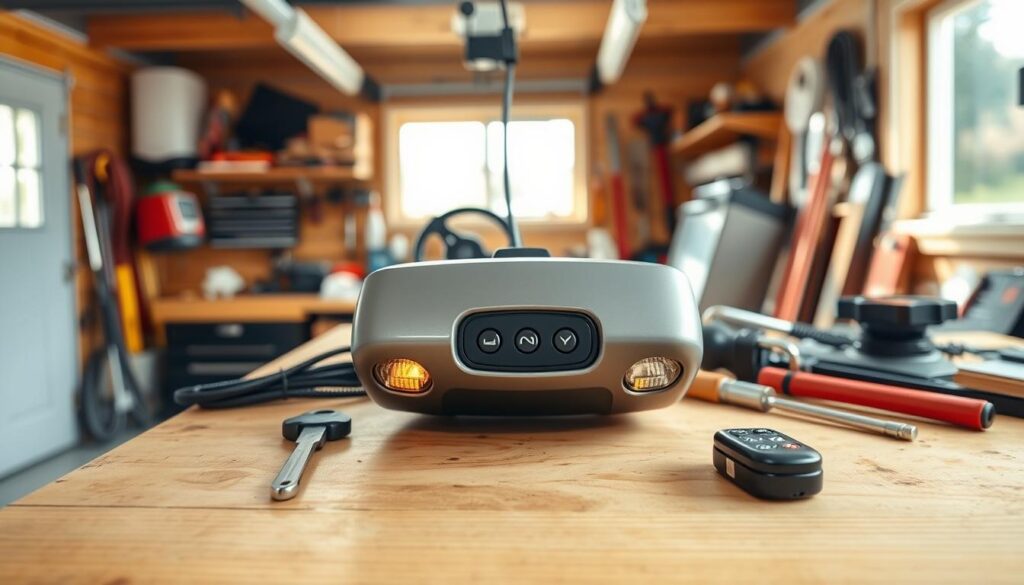
Next, check your garage door opener to see if it works with your car. Make sure you know its model and brand. This info is usually on the opener or in its manual.
Ensuring Proper Battery Levels
It’s important to check the batteries in your car and garage door opener. Low batteries can mess up the programming. Look at your car’s dashboard for battery levels and charge or replace them as needed.
| Device | Battery Level Check | Action Required |
|---|---|---|
| Car | Check dashboard indicators | Charge or replace if low |
| Garage Door Opener Remote | Check remote functionality | Replace batteries if not responding |
By doing these steps, you’ll be ready to set up your garage door opener to your car and link your car to the garage door opener. Make sure both devices have good battery levels to avoid problems during setup.
Steps to Program Your Garage Door Opener
First, understand your garage door opener basics and get your car ready. Programming your garage door opener to your car is easy and makes your life easier. It lets you get into your garage without a separate remote.
Locating the Programming Button
Find the programming button on your garage door opener. It’s usually on the back or side and might say “Learn” or “Program.” If you’re not sure, check your manual.
Entering Programming Mode
Press the programming button to start. The light on your opener will turn on or blink. Then, follow your car’s instructions to link it with the opener.
Testing the Connection
Press the programmed button in your car to test it. Your garage door should move. If it doesn’t, try again or check for interference.
Detailed Instructions for Common Brands
Garage door openers from brands like Chamberlain, Craftsman, and LiftMaster can connect with your car. To connect your car to your garage door opener, follow the steps from the manufacturer.
Programming a Chamberlain Opener
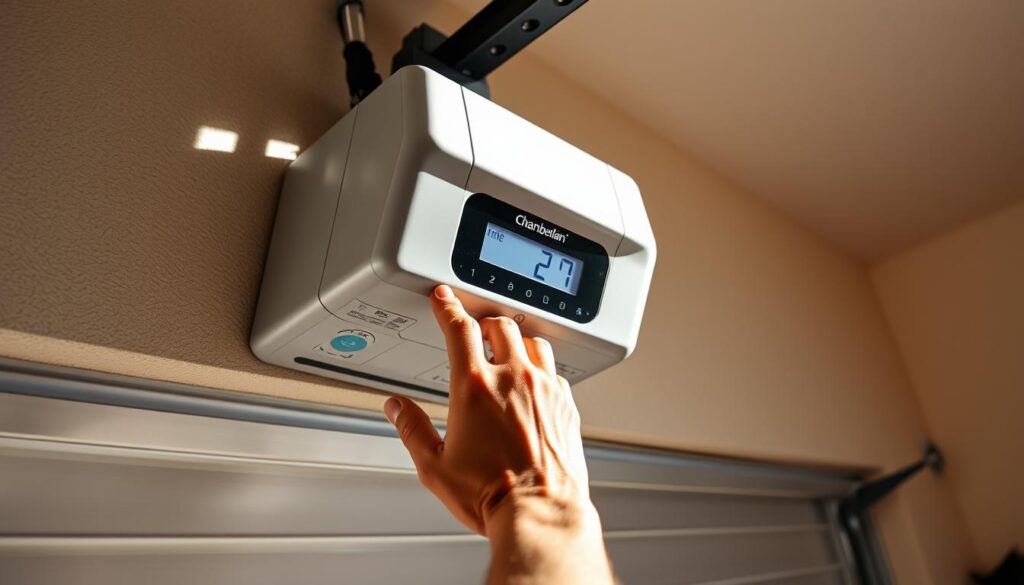
To program a Chamberlain garage door opener, find the “Learn” button. Press and hold it until the light turns on. Then, follow these steps:
- Press the button on your car’s remote system that you want to use to control the garage door.
- Hold the button until the garage door opener’s light blinks, indicating that the programming was successful.
- Test the connection by pressing the programmed button in your car.
Programming a Craftsman Opener
Programming a Craftsman garage door opener is similar but might differ slightly. You’ll need to:
- Find the “Smart” or “Learn” button on your Craftsman opener.
- Press and release this button, then immediately press the button on your car’s remote you wish to program.
- Hold the button in your car until the opener’s lights flash or you hear a beep, confirming the programming.
Programming a LiftMaster Opener
LiftMaster garage door openers are programmed like Chamberlain ones. To pair your garage door opener with your car:
- Locate the “Learn” button on your LiftMaster opener and press it until the LED light turns on.
- Within 30 seconds, press the button in your car that you want to use to control the garage door.
- Release the button when the garage door opener’s light blinks or you hear a click, indicating successful programming.
For the most accurate and detailed instructions, check the manufacturer’s website or the manual. By following these steps, you should be able to successfully connect your car to your garage door opener and enjoy controlling your garage door from your vehicle.
Common Issues When Programming
Programming your garage door opener can sometimes go wrong. Knowing these common problems helps you fix them quickly. This way, you can program your garage door opener successfully.
Troubleshooting Connection Problems
Connection issues are common when linking your garage door opener to your car. First, check if your garage door opener works with your car. Look in your car’s manual or on the manufacturer’s website for this info. If it does, try reprogramming it as your car’s manual says.
Re-syncing or re-pairing the devices might fix the problem.
Common Connection Issues:
| Issue | Possible Cause | Solution |
|---|---|---|
| Garage door opener not responding | Low battery or poor sync | Check battery levels and re-sync devices |
| Intermittent connection | Interference from other devices | Identify and mitigate sources of interference |
| Complete failure to connect | Incompatibility or programming error | Verify compatibility and reprogram |
Interference from Other Devices
Other electronic devices can mess with your garage door opener. Things like remote controls, wireless routers, and other garage door openers can cause problems. Try moving the garage door opener’s receiver or turn off other devices to find the source of the trouble.
Resetting the Garage Door Opener
If problems keep happening, you might need to reset your garage door opener. The reset steps vary by brand, so check your manual. Usually, you press a button until lights blink or change color, showing it’s reset.
After resetting, you’ll need to program it again to your car.
By tackling these common problems, you can make programming your garage door opener easier. This ensures it works well for you.
How to Program Remote Controls
Programming remote controls for your garage door opener might seem hard. But, it’s easy once you know the steps.
Remote controls are key for your garage door opener system. They let you open your garage door from afar. We’ll show you how to pair a new remote, replace old remotes, and program multiple remotes.
Pairing a New Remote
To pair a new remote, first find the “Learn” or “Program” button on your garage door opener. This button is on the back or side, depending on your opener’s brand and model.
Press the “Learn” button, then the button on your new remote you want to use. Hold it until the opener’s light blinks or you hear a click. This means the remote is paired.
Replacing Old Remotes
To replace an old remote, clear its code from your opener’s memory first. Press and hold the “Learn” button until the light goes off. Then, pair your new remote as before.
Test your new remote to make sure it works. Also, program any extra remotes you have.
Programming Multiple Remotes
To program multiple remotes, just repeat the steps for each one. It’s the same as pairing a new remote.
Some openers might only let you program a few remotes. Check your manual if you’re not sure.
By following these steps, you can manage your garage door opener remotes easily. This ensures you always have access to your garage.
Utilizing Smart Technology
Adding smart tech to your garage door opener makes your home more convenient and secure. Smart home devices have advanced, making it easy to control and watch your garage door from afar.
Integrating Smart Garage Door Openers
Smart garage door openers work well with your phone or voice assistant. You can open, close, and check your garage door from anywhere. They need a hub or a smart opener that connects to your Wi-Fi.
Key benefits of smart garage door openers include:
- Remote access and control
- Real-time notifications
- Enhanced security features
- Integration with other smart home devices
Using Smartphone Apps for Control
Most smart garage door openers have a smartphone app. This app lets you control your garage door. It offers features like:
- Opening and closing your garage door
- Monitoring the status of your garage door
- Receiving notifications when the door is opened or closed
- Granting access to guests or service providers
With a smartphone app, you can keep your garage door safe even when you’re away.
Voice Activation Features
Many smart garage door openers work with Amazon Alexa and Google Assistant. This lets you control your garage door with voice commands. It’s very convenient.
For example, you can say “Hey Alexa, close the garage door” or “Hey Google, is my garage door open?” to manage your garage door without touching it or opening an app.
By using smart tech with your garage door opener, you get a more convenient, secure, and connected home.
Benefits of Programming Your Opener to Your Car
Connecting your garage door opener to your car brings a lot of benefits. It makes your daily life easier and your garage system more efficient.
Convenience and Accessibility
One big benefit is the added convenience. You don’t need a separate remote anymore. Just press a button on your car’s dashboard to open your garage.
This is really helpful when it’s raining or cold. You can open your garage without leaving your car.
Enhanced Security Features
Another great thing is the enhanced security features. Modern systems use rolling code technology. This means the access code changes every time you use it, making it harder for unauthorized access.
Some systems even send alerts to your phone if someone tries to open your garage when you’re not there. This adds an extra layer of security.
Increased Home Value
Adding smart technology, like linking your garage door opener to your car, can also increase your home’s value. Buyers like homes with modern features. A smart garage door system is a big plus.
This feature, along with other smart home tech, makes your home more appealing. It could even lead to a higher selling price.
Maintenance Tips for Your Garage Door Opener
Keeping your garage door opener in good shape is key for safety and smooth operation. Regular maintenance extends its life and keeps it working well. It also makes sure it runs quietly.
Regular Inspection and Cleaning
Regular checks on your garage door opener can spot problems early. Look for worn parts, loose screws, and wear on the chain or belt. Cleaning the opener’s mechanisms is also important. Use a soft cloth to remove dirt and debris from the motor unit and moving parts.
Battery Replacements
If your garage door opener remote has batteries, replace them often. Weak or dead batteries can cause issues. Replace batteries every 1-2 years or as needed.
Professional Service Recommendations
While you can do some maintenance yourself, some tasks need a pro. For complex issues or annual checks, consider US Garage Door Heroes. They can be reached at (602)932-9212 or online at https://thegaragedoorheroes.com for excellent service.
| Maintenance Task | Frequency | Benefit |
|---|---|---|
| Inspect Garage Door Opener | Every 6 months | Identify problems early |
| Clean Opener Mechanisms | Every 3 months | Ensure smooth operation |
| Replace Remote Batteries | Every 1-2 years | Maintain reliable remote operation |
Finding Professional Help
If you’re having trouble with your garage door opener, it’s time to get help. Many people can program their openers on their own. But, some might need a pro’s help.
When to Call a Technician
It’s important to know when to call a technician. If you’ve tried fixing it yourself but can’t, or if your opener is old or broken, get a pro. Signs you need professional help include loud noises, doors moving unevenly, or not opening with the remote.
US Garage Door Heroes in San Tan Valley, AZ, is a trusted service. They have skilled technicians ready to fix, install, and maintain your garage door.
US Garage Door Heroes Contact Information
Need help fast? Contact US Garage Door Heroes Repair & Install at 3076 W Silver Creek Dr, San Tan Valley, AZ 85142. Call them at (602) 932-9212 or visit their website for more info.
Services Offered by US Garage Door Heroes
US Garage Door Heroes offers many services, including:
- Garage door repair and replacement
- Opener installation and programming
- Regular maintenance and inspection
- Garage Door Spring Replacement and cable repair
| Service | Description |
|---|---|
| Garage Door Repair | Expert repair services for damaged or malfunctioning garage doors. |
| Opener Installation | Professional installation of garage door openers, ensuring smooth operation. |
| Maintenance & Inspection | Regular maintenance to prevent issues and extend the lifespan of your garage door system. |
A happy customer said, “US Garage Door Heroes fixed my garage door quickly and professionally!”
“The team at US Garage Door Heroes was courteous, knowledgeable, and very professional. I highly recommend their services!”
Conclusion
Programming your garage door opener to your car makes your daily life easier. It adds convenience and makes things more accessible. By following the steps in this article, you can link your garage door opener with your vehicle.
Key Takeaways
Recapping the steps, first find the programming button on your garage door opener. Then, enter the programming mode and test the connection. It’s also key to make sure your garage door opener and vehicle are compatible.
Seeking Professional Help
If you run into problems while programming, get help from a pro. US Garage Door Heroes can assist with garage door opener programming and other needs.
Programming your garage door opener to your car brings many benefits. You get better security, higher home value, and a smoother daily routine. Start today and enjoy a garage door system that works perfectly with your car.